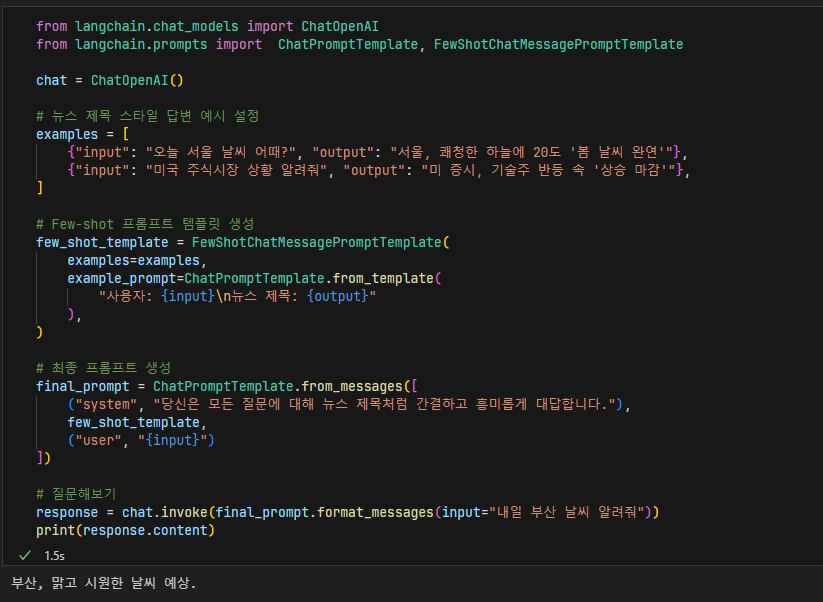
LangChain의 Few-shot 프롬프트 기법을 사용하여 AI가 특정한 형태의 답변을 생성하도록 유도하는 방법을 공부했습니다.
Few-shot 프롬프트란?
Few-shot 프롬프트란 AI가 답변할 때 참고할 예시를 몇 가지 제공함으로써, AI가 원하는 방식대로 더 정확하고 일관된 답변을 생성하게 하는 방법입니다.
FewShotChatMessagePromptTemplate
LangChain의 FewShotChatMessagePromptTemplate은 챗봇이 특정 답변 스타일을 유지하도록 효과적으로 안내할 수 있습니다. 예를 들어 뉴스 제목처럼 간결하고 흥미로운 스타일로 답변하도록 유도할 수 있습니다. 직접 사용해보니 더 이해하기 쉬웠습니다.
공부한 코드
from langchain.chat_models import ChatOpenAI
from langchain.prompts import  ChatPromptTemplate, FewShotChatMessagePromptTemplate

chat = ChatOpenAI()

# 뉴스 제목 스타일 답변 예시 설정
examples = [
    {"input": "오늘 서울 날씨 어때?", "output": "서울, 쾌청한 하늘에 20도 '봄 날씨 완연'"},
    {"input": "미국 주식시장 상황 알려줘", "output": "미 증시, 기술주 반등 속 '상승 마감'"},
]

# Few-shot 프롬프트 템플릿 생성
few_shot_template = FewShotChatMessagePromptTemplate(
    examples=examples,
    example_prompt=ChatPromptTemplate.from_template(
        "사용자: {input}\n뉴스 제목: {output}"
    ),
)

# 최종 프롬프트 생성
final_prompt = ChatPromptTemplate.from_messages([
    ("system", "당신은 모든 질문에 대해 뉴스 제목처럼 간결하고 흥미롭게 대답합니다."),
    few_shot_template,
    ("user", "{input}")
])

# 질문해보기
response = chat.invoke(final_prompt.format_messages(input="내일 부산 날씨 알려줘"))
print(response.content)